Sealed
Envelope budgeting · private by design

Every dollar gets a job. Your data stays home.

Sealed is an envelope budget for your phone that never asks for your bank login. Split each paycheck into envelopes, tap in what you spend, and see what is safe to spend today. No account, no ads, works offline.

Runs in your browser; add it to your home screen. iPhone and Android store versions are in preparation.

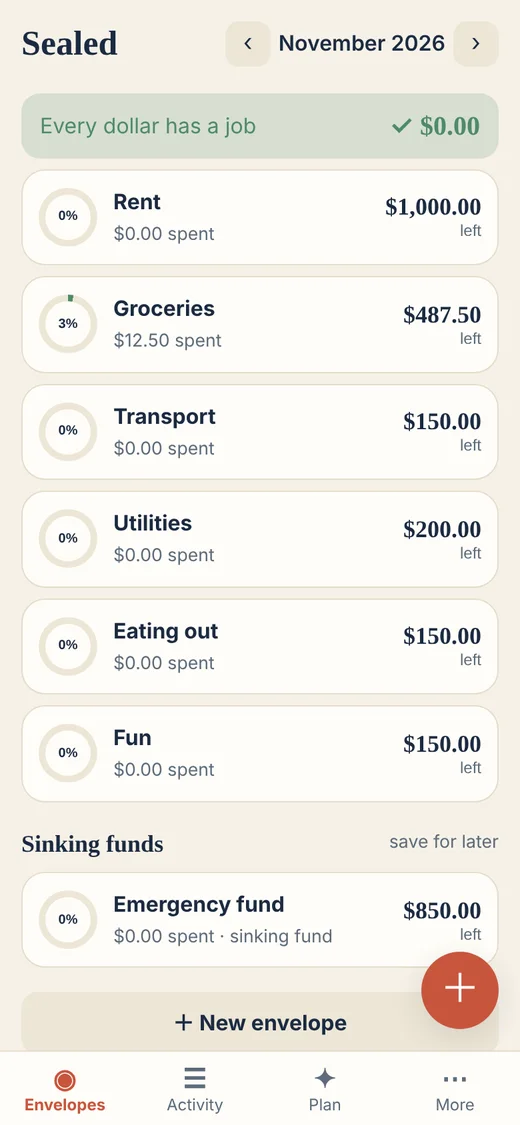
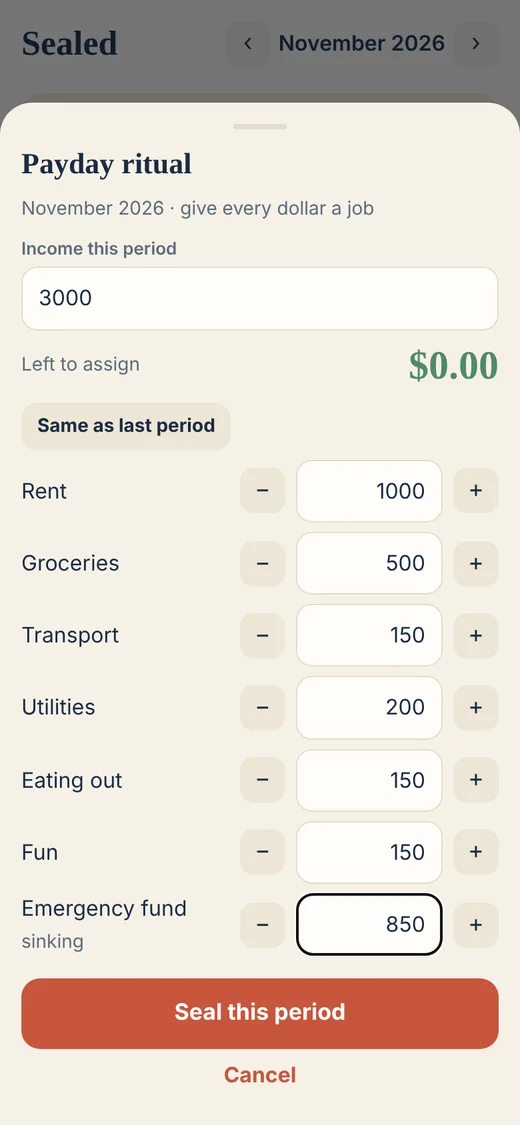
Sealed envelope list showing Rent, Groceries and Transport with money left in eachPayday ritual screen assigning a $3,000 income to envelopes until $0 is left

A calmer way to budget

Payday ritual

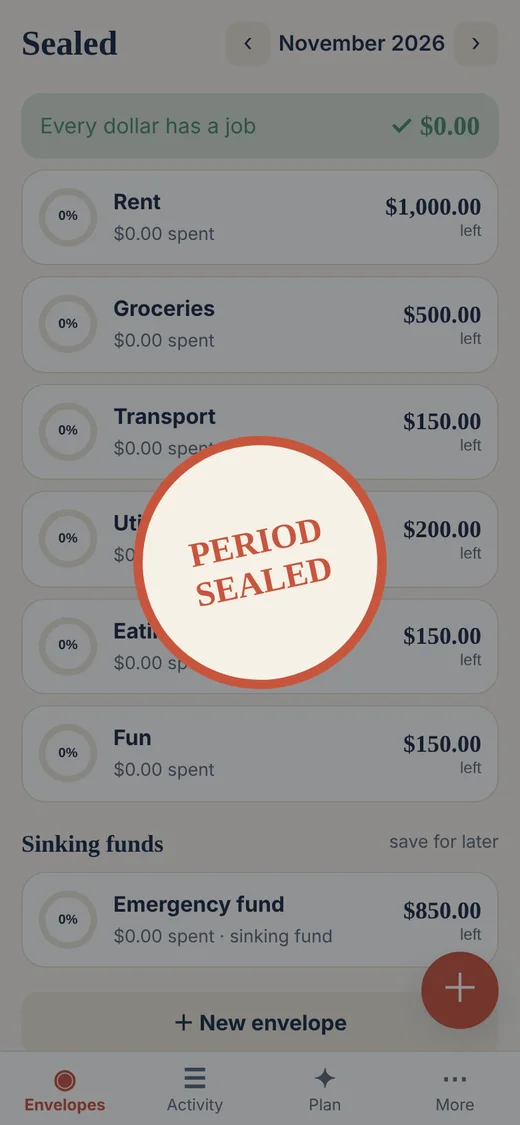
Enter your income, assign it to envelopes until “left to assign” hits zero, then seal the period. Ten minutes, once per pay cycle.

No bank login

Nothing connects to your bank. Add spending in three taps, or import a statement file you download yourself. Rows are matched on your device.

Safe to spend today

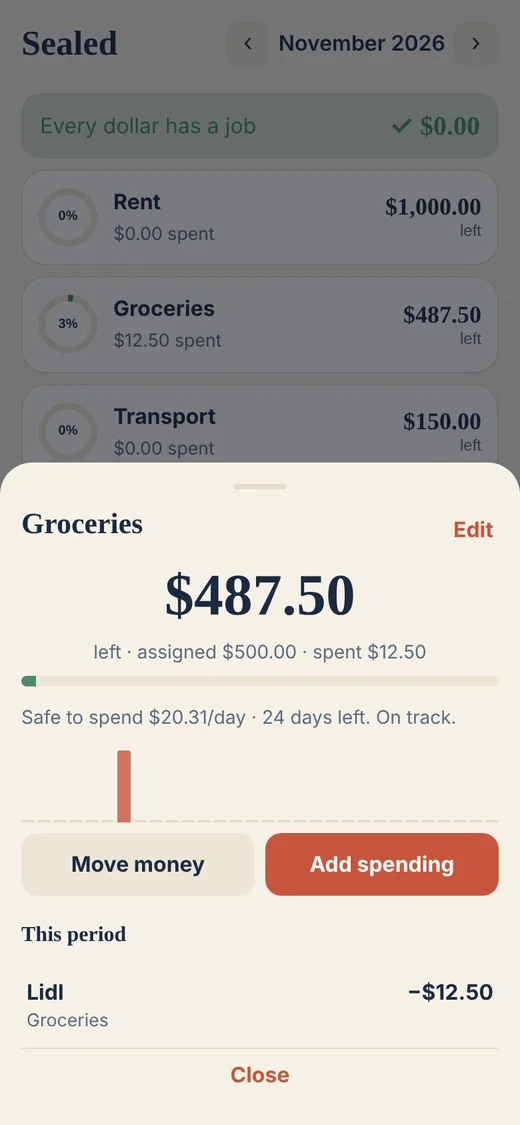
Open an envelope and see a daily pace: what you can spend per day for the rest of the period, and a bar for each day so far.

Sinking funds

Save for car repairs, trips or taxes with a target and due date. Sealed shows the monthly amount to put aside.

Offline and yours

Works in airplane mode. Export JSON or CSV any time. The app makes no requests to third parties; we test for that.

Quick to log

Big keypad, envelope chips, “repeat last” and “save and add another”. Edit or undo any entry.

How it works

  1. Pick a template or start empty. Essentials gives you Rent, Groceries, Transport, Utilities, Eating out, Fun and an Emergency fund.
  2. Seal your payday. Assign every dollar of income. Sealed will not let you assign more than you have.
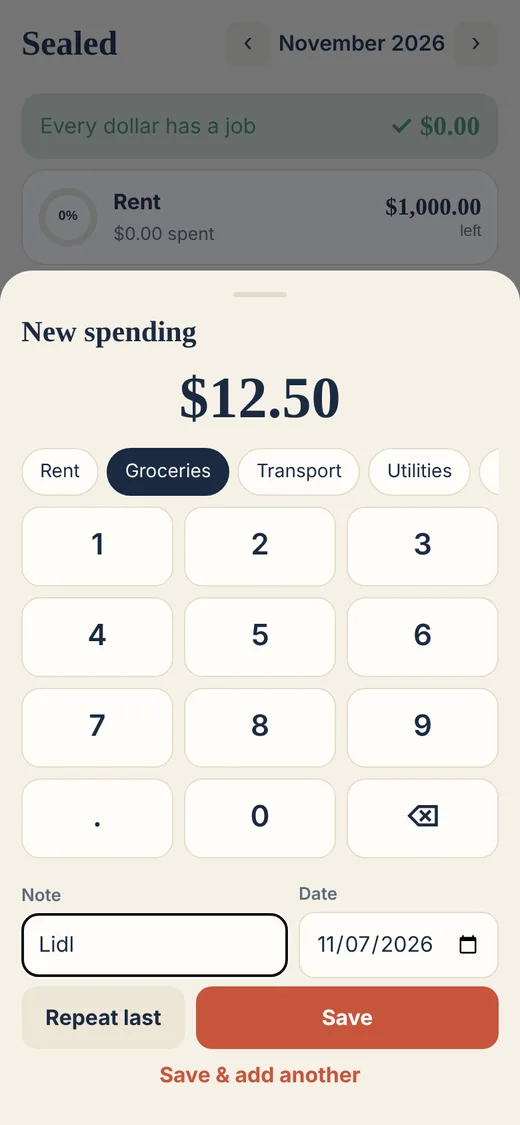
  3. Log spending. Tap the plus, type the amount, choose the envelope.
  4. Watch the pace. Each envelope shows what is left and what is safe to spend per day.
  5. Move money, not guilt. Overspent Fun? Move some from Eating out and carry on.

New to the method? Read the envelope budgeting guide or use the free paycheck splitter without installing anything.

Import instead of typing

Quick add keypad entering $12.50 for Groceries
Quick add: amount, envelope, done.
Groceries envelope detail with daily pace bars
Envelope detail with daily pace.
Period sealed stamp animation after assigning all income
Seal the period when every dollar has a job.

Download a CSV, OFX or QIF file from your bank, drop it into Sealed and choose an envelope for each merchant once. Tick “always” and next month it is automatic. Duplicates are flagged and a whole import can be undone in one tap.

Pricing

VersionPriceEnvelopes
Web (today)FreeUp to 7; a test switch unlocks the rest, no payment taken
Store apps (planned)Plus: $29.99 once, or $14.99 per year with a 14-day trialUnlimited with Plus

Compare five-year costs with YNAB and Goodbudget.

Questions

Does Sealed connect to my bank?

No. There is no bank login and no account. You add spending by hand in a few taps, or import a CSV, OFX or QIF statement that you download from your bank yourself. The file is read on your device and never uploaded.

Where is my data stored?

On your device only. The web version keeps it in your browser's local storage; you can export a JSON backup or CSV at any time and restore it later.

Does it work offline?

Yes. After the first visit the app is cached and works in airplane mode.

What does it cost?

The web version is free for up to 7 envelopes. Planned store versions: free up to 7 envelopes, with an optional Plus upgrade (lifetime $29.99 or $14.99 a year, 14-day trial). The web build takes no payments. Prices may change before store launch.

Is there an iPhone or Android app?

Store versions are in preparation. Until then you can use Sealed in any modern mobile browser and add it to your home screen so it behaves like an app.

Can a couple share one budget?

Not yet. The web build has no sync. Shared envelopes between two people are planned for the iOS version using iCloud; see the couples guide for a no-sync routine that works today.

Who makes Sealed?

One independent developer, Andrew Boyko. There are no ads and no analytics, and no third-party services are contacted by the app.

Try it now. Takes about two minutes to set up and nothing leaves your phone.

Open Sealed